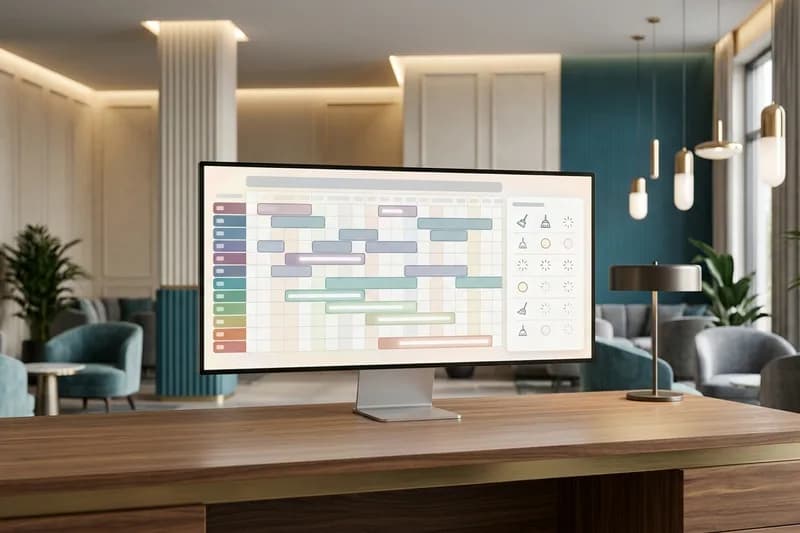
For restaurants, bistros, beach clubs, and cafes, the most valuable inventory is table and seat capacity during service. On Friday and Saturday nights, Sunday brunches, and special days, the host team is seating guests at the door while the phone keeps ringing and WhatsApp messages like "Do you have a table for four in the garden tonight?" keep arriving.
Every call missed while the host is busy is a table that goes to another restaurant. With paper books or scattered messages, the same table gets promised to two groups, table turn times are hard to predict, and large groups cancel at the last minute, all of which cost revenue. Yanitly's floor plan, concurrent capacity control, deposits through an online payment link, and AI appointment scheduling assistant turn this rush into an orderly flow.
Good dining room management is not writing down names on the phone; it is seeing on one floor plan which table in which zone frees up when, whether a group deposit has been paid, and what the guest's allergy note says.
Why Bookings Slip Away During Service
In food and beverage, phone and message traffic peaks exactly when the kitchen and floor teams are busiest. At the lunch rush and the start of dinner service, the floor manager is coordinating seated tables and greeting walk-ins at the same time. Traditional methods break down in three places:
- Zone and table-size mismatches: A guest asks for a table for six on the terrace, but the book only tracks total covers, so three empty tables for two create a misleading "we have room".
- Simultaneous booking clashes: When requests for 8 PM arrive from the phone, the website, and WhatsApp at once, systems without capacity control accept more bookings than the room can seat.
- Last-minute group cancellations: A long table for ten held without a deposit stays empty all evening when the group does not show.
The Floor Plan
Yanitly's floor plan screen brings the restaurant's physical layout into the panel. The business defines zones such as the main hall, terrace, garden, or a private room and groups tables by zone.
Table Statuses and Seating Time
Each table card on the floor plan shows the table name, capacity, and current status. Tables move through Free, Reserved, Occupied, Ordering, Bill, and Clearing. A timer on the card shows how long a seated table has been occupied, and a table that moves to Bill tells the floor team it will free up soon.
Planning the Second Seating
When seating times and table statuses are visible live, planning a second seating is no longer guesswork. For example, by watching how the 7 PM tables are progressing, you can say more accurately which tables will be available after 9 PM. When a table moves from Clearing to Free, it is ready for a waiting guest or a new booking.
How Many Tables at Once: Capacity and Clash Protection
Restaurants accept as many bookings for a time slot as they have tables, not just one. In Yanitly, you set how many tables can be booked at the same time for each reservation type. To keep that capacity from being under- or over-used, the check runs at the database level.
What Happens When Capacity Is Full
When a booking for the same time is attempted from the phone, WhatsApp, the web, or a staff screen, the system first compares the active bookings in that slot with the capacity. If the slot is full, no booking is created and the system returns a clear "full" response rather than an error. The assistant then offers options: "Our tables at 8 PM are fully booked; I can check 7:15 or 9:15 for you, or add you to the waitlist."
Waitlist Holds
When a table is cancelled or frees up early, the next guest on the waitlist for that slot gets priority. The slot offered to the waitlisted guest is held for the length of the offer, and a booking from another channel cannot take it in the meantime. The waitlisted guest's place is protected and the table does not sit empty.
Deposits and Prepayment for Group Bookings
On weekend evenings, special days, and large group dinners, prepayment is the healthiest way to reduce no-shows. In Yanitly you define a payment policy for the reservation type: a deposit or full prepayment.
An Online Card Payment Link
When the policy requires it, the guest receives a card payment link through Yanitly's payment infrastructure. The provider for card payments is PayTR. When the payment is completed, the booking's payment status is updated and the floor team can see that the deposit has been received. When payment details are written to the booking, the guest's cancellation and change links are preserved; the payment record does not break them. If you want to accept bank transfers as well, you can enable that separately in Payment Settings.
Allergy, Diet, and Special Occasion Notes
As we mentioned in our article on restaurant AI voice reservations and table management, details are what turn a booking into hospitality. The voice AI assistant and the WhatsApp assistant can collect the following during a booking:
- Food allergies and dietary restrictions: Gluten-free needs, nut or seafood allergies, vegan or vegetarian preferences,
- Comfort and accessibility: A high chair, space for a stroller, or a suitable table for guests who need step-free access,
- Special occasion preparation: A birthday cake, an anniversary table, or a quiet corner for a business dinner.
These notes are added to the booking record and seen by the floor team when the guest arrives. The booking is confirmed according to your business's confirmation flow, and the assistant is designed not to present a request that still needs approval as a confirmed reservation. For restaurants inside a hotel, this setup works together with our hotel PMS front office and housekeeping flow.
Balancing Walk-Ins with Reservations
A good restaurant does not hand every table to advance bookings; it leaves room for walk-ins. That balance should come from the live status on the floor plan rather than guesswork. When the floor manager decides which zones are open for advance booking and which tables are kept for walk-ins, the squeeze during service eases. Because tables in the Bill status are visible, walk-in guests can be told more accurately how many minutes until a table is ready, and the kitchen's order pace stays balanced.
Setup Steps for Your Restaurant
To launch the floor plan and the AI booking flow, follow this sequence:
- 1.Define your zones and tables with their capacities on the floor plan screen.
- 2.Create your reservation types and enter how many tables can be booked at the same time for each.
- 3.Choose a deposit or prepayment policy for group dinners or special nights in Payment Settings.
- 4.Connect your phone and WhatsApp line, write your cancellation and no-show policy in the knowledge base, and turn on the waitlist.
During the first weeks, watch status changes on the floor plan and the tables filled from the waitlist, and fine-tune your capacity settings to your real service pace.